
Sometimes when a user attempts to connect to Amazing Charts. They may receive the below error when launching a session.
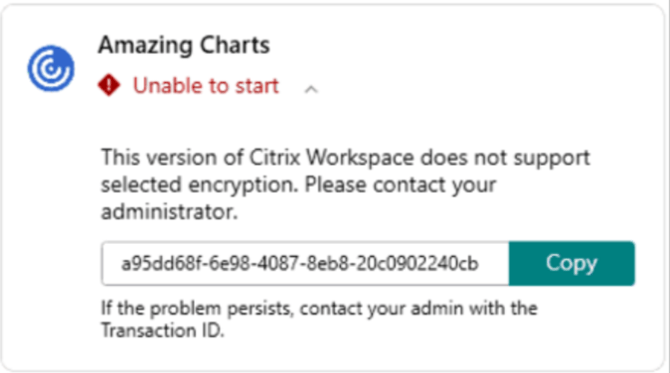
Should you encounter a user experiencing this issue. You can follow the below steps to fix the problem.
Steps to Fix:
1. Log into clients machine
2. Uninstall Citrix Workspace
3. Open registry editor (regedit.msc)
4. Navigate to: HK current user => Software => Classes => VirtualStore => MACHINE => SOFTWARE => WOW6432Node => Citrix
5. Remove ICA client key (right click => delete)
6. Run Citrix clean up utility
7. Reinstall Citrix workspace 2203 with LTSR updates disabled or other variant of Citrix workspace.
Contact CS Support if you need tools for troubleshooting.