
If you know your current password and wish to change / update your password, please follow these steps. If you forgot your password, please refer to:
- From the Schedule screen, click the option for Edit in the toolbar at the top of the window.
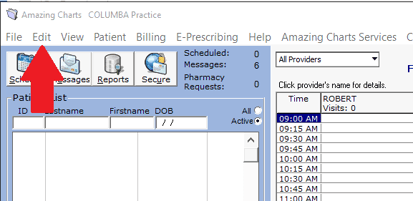
- Choose My Preferences from the dropdown.
- Choose Change Password from the dropdown.
- Enter Your Current Password in the designated field.
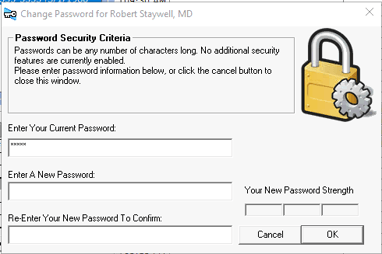
- Enter your new password in the next field (labelled: Enter a New Password).
* Please note: Passwords should be a mix of uppercase, lowercase, numbers, and special characters to be safe. A phrase is always good. Example: 5t0p&5m3llth3R05e5. - Re-Enter your new password in the next field (labelled: Re-Enter Your New Password To Confirm).
- Click the OK button.