
How to Renew Your EPCS Annual Subscription
Each year, a provider must renew their annual subscription for EPCS (Electronic Prescribing of Controlled Substances). There is a $250.00 annual charge for the service. Users have the option to make a manual payment, or to allow automatic payments to auto-renew the service each year. The instructions are as follows:
1. From the main Amazing Charts Schedule screen, click EDIT on the top toolbar.
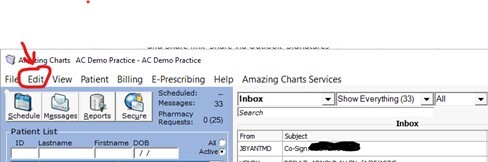
2. Choose the MY PREFERENCES option from the dropdown menu.
3. Choose the USER PREFERENCES option from the dropdown menu.
4. Choose the PRESCRIPTIONS option from the list in the left margin.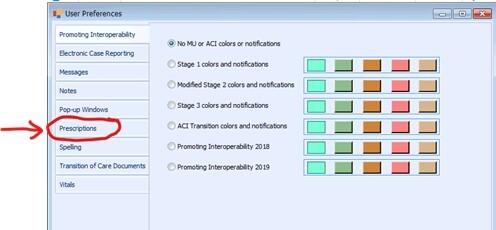
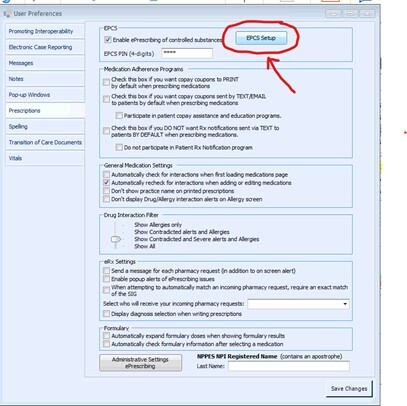
5. Click the button labelled EPCS SETUP.
6. Click on the option for EPCS SUBSCRIPTION in the left panel.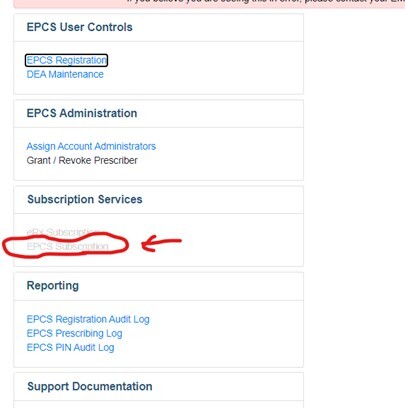
7. A total $ amount will appear.
8. Choose if you wish to auto renew or make a one-time payment.
9. Enter your credit card # and information into the fields provided.
10. Click the PAY
11. You have now completed your renewal.
If you have any questions, or need additional assistance, please contact us at support@amazingcharts.com or via phone at 866-382-5932. Thank you.